
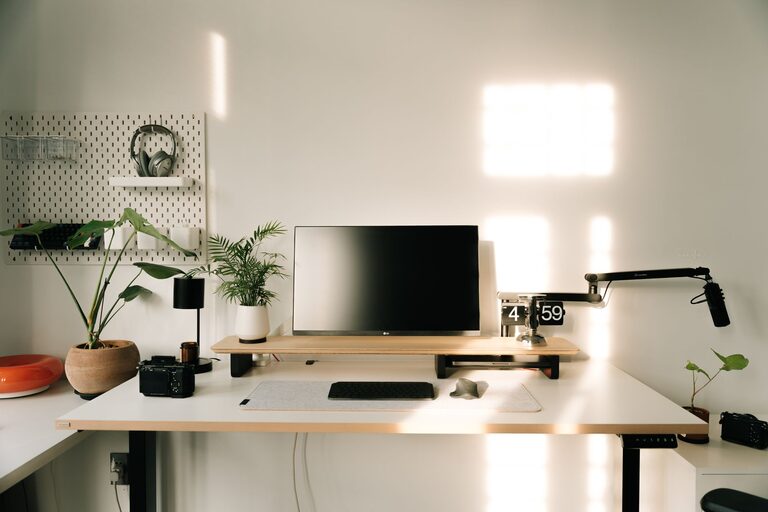
Creating an organized home workspace can greatly improve your focus and efficiency. Whether you work from home full-time or occasionally, a well-arranged workspace helps minimize distractions and fosters a productive mindset. In this post, we’ll explore actionable tips to help you organize your home office or work nook for better productivity.
Why Organizing Your Home Workspace Matters
A cluttered or poorly arranged workspace can lead to stress, distractions, and decreased efficiency. On the other hand, an organized environment promotes clarity, reduces time spent searching for items, and makes working more enjoyable. Organizing doesn’t have to involve expensive furniture or complicated systems—small changes can make a big difference.
Choose the Right Location
Find a Dedicated Space
Reserve a quiet and comfortable spot in your home where you can focus without frequent interruptions. Ideally, this space should be separate from high-traffic areas.
Consider Natural Light
Position your desk near a window if possible. Natural light can boost mood and energy levels, making work feel less draining.
Assess Noise Levels
If noise is a concern, consider noise-cancelling headphones or adding soft furnishings like rugs and curtains to absorb sound.
Declutter Your Workspace
Clear the Surface
Keep only essentials on your desk. Store documents, gadgets, and supplies in drawers or organizers to free up space.
Sort Your Items
Sort paperwork into categories such as urgent, reference, or to file. Use labeled folders or trays to keep things organized.
Digitize When Possible
Scan important documents to reduce paper clutter. Digital files are easier to search and archive.
Organize Tools and Supplies
Use Organizers
Desk organizers, drawer dividers, and small containers keep pens, paperclips, and other supplies neatly arranged.
Keep Frequently Used Items Accessible
Place your most-used items within arm’s reach to avoid unnecessary distractions or breaks.
Manage Cables
Use cable clips or boxes to prevent cords from tangling and cluttering the desk.
Optimize Your Desk Setup
Choose an Ergonomic Chair and Desk
Comfortable furniture supports good posture, reducing physical discomfort during long work sessions.
Position Your Screen Correctly
The top of your monitor should be at or slightly below eye level, about an arm’s length away, to avoid neck and eye strain.
Arrange Lighting Thoughtfully
Use a desk lamp with adjustable brightness to supplement natural light and reduce glare on screens.
Personalize Without Overdoing It
Add Inspiring Elements
Incorporate a plant, a piece of art, or motivational quotes to create a workspace that feels welcoming.
Avoid Excessive Decorations
Too many items can become distractions. Aim for a balance between personalization and simplicity.
Develop Habits to Maintain Organization
End-of-Day Reset
Spend a few minutes at the end of each day tidying up your desk to start fresh the next morning.
Regularly Review and Purge
Set a weekly or monthly reminder to sort paperwork and discard unnecessary items.
Plan Your Tasks
Use a planner or digital calendar to organize your day, minimizing clutter from scattered notes.
Additional Tips for Productivity
– Use Noise-Reducing Accessories: Headphones or white noise machines can help maintain focus.
– Keep Hydrated and Take Breaks: A water bottle on your desk reminds you to stay hydrated, and scheduled breaks prevent burnout.
– Set Boundaries: Share your workspace boundaries with family or roommates to reduce interruptions.
Conclusion
Organizing your home workspace is a practical step toward improving your productivity and work satisfaction. By selecting a suitable location, decluttering regularly, optimizing your desk setup, and developing maintenance habits, you create an environment that supports focus and efficiency. Start small and tailor these tips to your preferences—your ideal workspace is within reach!