
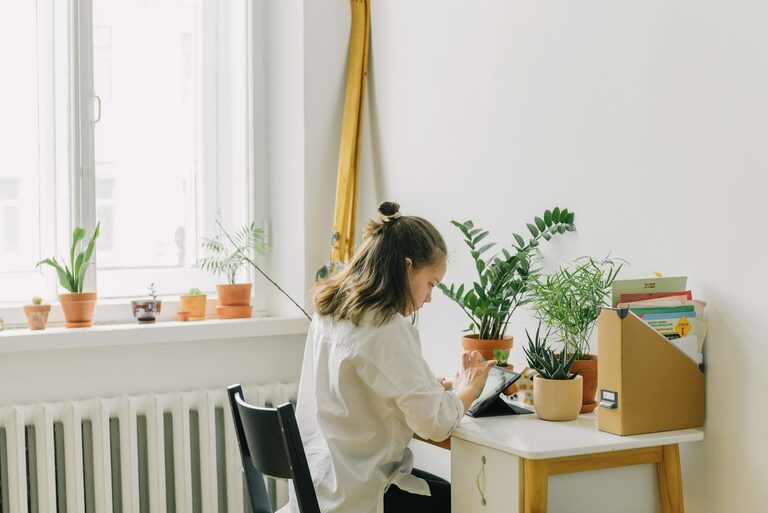
Creating a home workspace that promotes relaxation and productivity is essential in today’s world, where many people work from their own homes. A thoughtfully designed space can help reduce stress, improve focus, and boost overall efficiency. Below, we explore practical tips to help you craft a relaxing and productive workspace at home.
Why a Relaxing Workspace Matters
Your workspace greatly affects your mood and output. Clutter, poor lighting, or uncomfortable furniture can distract you or cause discomfort, making it harder to stay productive. In contrast, a calm and inviting environment encourages a positive mindset and sustained focus.
Choose the Right Location
Start by selecting a spot in your home that naturally minimizes distractions.
– Quiet Area: Pick a room or corner with minimal noise and traffic.
– Natural Light: Position your desk near windows to benefit from daylight, which can reduce eye strain and enhance mood.
– Private Space: If possible, reserve an area that feels separate from daily household activity.
Prioritize Comfort with Furniture
Investing in ergonomic furniture can make a big difference.
– Ergonomic Chair: Choose a chair that supports your spine and allows your feet to rest flat on the floor.
– Adjustable Desk: Consider a desk at the right height to prevent strain. Standing desks or adjustable sit-stand desks offer flexibility.
– Proper Monitor Placement: Place your screen at eye level about an arm’s length away to reduce neck and eye strain.
Organize and Declutter
A tidy workspace supports clear thinking and reduces anxiety.
– Minimal Clutter: Keep only essential items on your desk.
– Storage Solutions: Use shelves, drawers, or organizers to store supplies neatly.
– Cable Management: Use clips or ties to keep cords out of the way.
Add Calming Elements
Incorporate features that promote relaxation and positivity.
– Plants: Adding greenery can improve air quality and create a soothing atmosphere.
– Soft Lighting: Use lamps with adjustable brightness or warm light bulbs instead of harsh overhead lighting.
– Personal Touches: Add meaningful artwork or photos that inspire you without overwhelming the space.
Manage Sound and Noise
Sound plays a major role in concentration.
– Noise-Canceling Headphones: Useful if you can’t control external noise.
– Background Music: Soft instrumental or nature sounds can enhance focus.
– Soundproofing: Use rugs, curtains, or acoustic panels to absorb noise.
Maintain Good Air Quality and Temperature
A comfortable environment supports alertness and well-being.
– Fresh Air: Keep a window nearby if possible or use an air purifier.
– Temperature Control: Ensure the room is neither too hot nor too cold. Use fans or heaters as needed.
Use Technology Wisely
Leverage technology to improve productivity but avoid distractions.
– Efficient Devices: Reliable computers and fast internet help avoid frustration.
– Focus Tools: Use apps or browser extensions that block distracting websites during work hours.
– Minimal Notifications: Silence non-essential alerts to stay focused.
Create a Routine
Your environment works best when complemented by good habits.
– Set Working Hours: Define clear start and finish times to separate work from personal life.
– Take Breaks: Step away regularly to stretch or relax.
– Keep Workspace Clean: Spend a few minutes at the end of each day tidying up.
Conclusion
Designing a relaxing home workspace isn’t just about aesthetics; it’s about creating a place where you can work comfortably and efficiently. By selecting the right location, accommodating your physical needs, keeping the space organized, and adding calming touches, you can build an environment that supports your productivity and well-being every day. Try these tips to transform your home workspace into a sanctuary for focus and creativity.